Introduction
As software development continues to evolve, developers are increasingly relying on artificial intelligence to streamline workflows, improve code quality, and boost productivity. The ModelArk Coding Plan is designed to meet these demands by offering a powerful, flexible, and all-in-one AI coding environment.
With access to multiple advanced models, seamless integration with popular coding tools, and a dedicated AI assistant, ModelArk provides a complete solution for both individual developers and teams. In this guide, we’ll explore its features, pricing, benefits, and how it can transform your development experience.
What Is ModelArk Coding Plan?
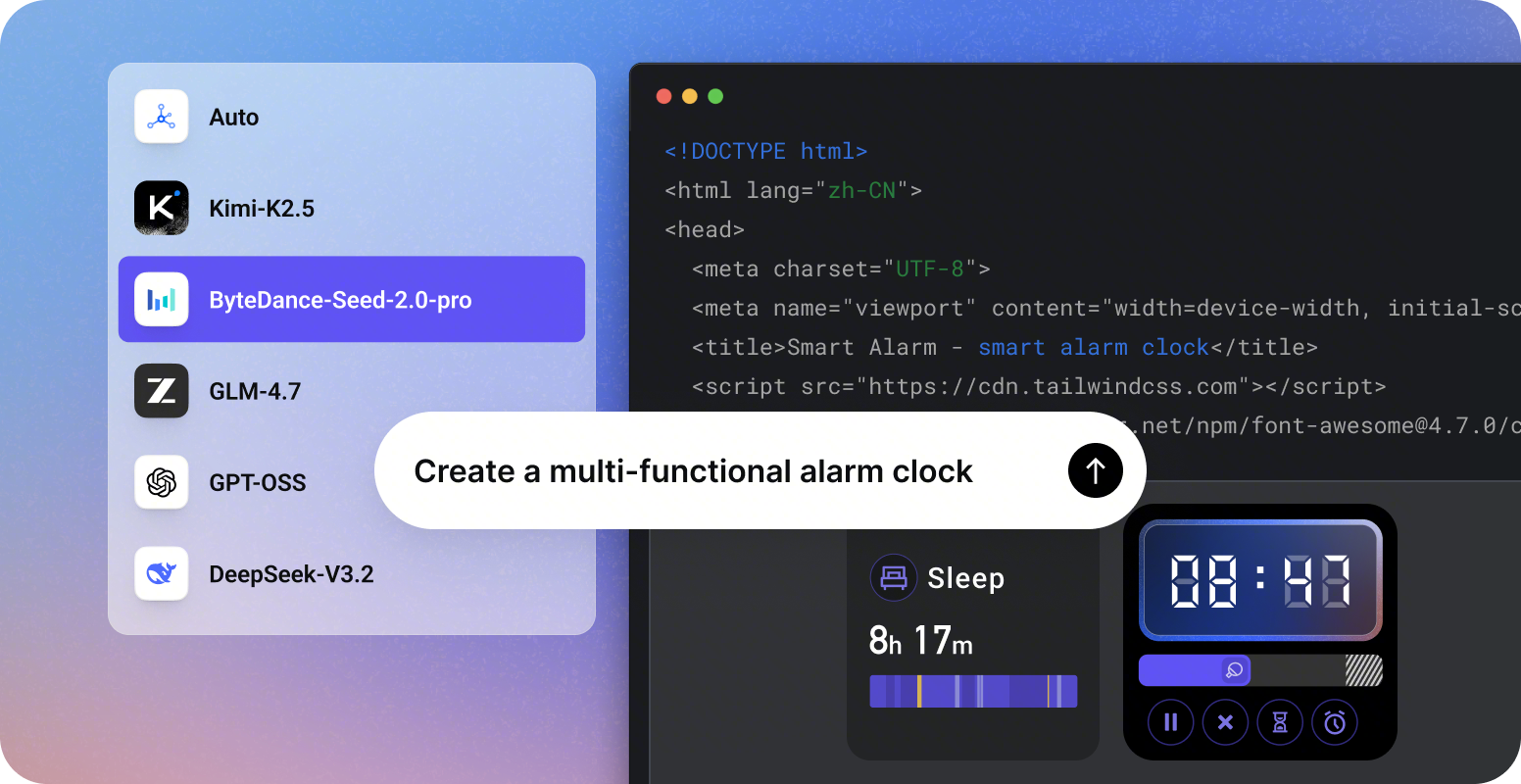
ModelArk Coding Plan is a subscription-based platform that gives developers access to multiple AI models under a single plan. Instead of relying on one AI engine, users can switch between different models or enable an automatic mode that selects the best model for each task.
This flexibility allows developers to handle a wide range of coding scenarios—from simple scripts to complex system architecture—without needing multiple subscriptions.
Key Features of ModelArk Coding Plan
Multiple AI Models in One Plan
One of the biggest advantages of ModelArk is the ability to use multiple leading AI models within a single subscription. These include:
GPT-based models
GLM
Kimi
ByteDance Seed
Each model has its strengths. For example, some excel at code generation, while others are better at reasoning or debugging. With ModelArk, you can easily switch between them or use Auto Mode to let the system decide.
This ensures optimal performance for every task.
Auto Mode for Smart Optimization
Auto Mode is a powerful feature that automatically selects the best AI model based on your task. Whether you’re writing code, debugging, or designing architecture, the system intelligently assigns the most suitable model.
This saves time and removes the guesswork for developers.
Seamless Integration with Coding Tools
ModelArk is built to fit into your existing workflow. It supports integration with a wide range of popular development tools, including:
Claude Code
Cursor
Roo Code
Codex CLI
VS Code (via extensions like Cline)
This means you don’t need to learn a new system or switch platforms. You can continue working in your preferred environment while leveraging AI capabilities.
High Capacity and Smooth Performance
Performance is a key factor for developers, especially when working on large projects. ModelArk offers:
High usage limits
Minimal throttling
Fast response times
This ensures a smooth and uninterrupted coding experience, even during intensive development sessions.
ArkClaw Your Dedicated AI Coding Companion
One of the standout features of the Pro plan is ArkClaw, a powerful AI assistant available 24/7.
What Makes ArkClaw Special?
Provides real-time coding assistance
Helps debug complex issues
Offers architectural suggestions
Assists with documentation and optimization
Unlike basic AI tools, ArkClaw acts more like a development partner, guiding you through complex tasks and improving your overall efficiency.
It’s especially useful for large-scale projects and team environments.
Pricing Plans Explained
ModelArk offers two main subscription options to suit different development needs.
Lite Plan
Price: $10/month
Features
Access to multiple AI models
3× usage compared to standard plans
Flexible model switching or Auto Mode
Integration with popular coding tools
Best for
Students
Light to moderate coding workloads
Pro Plan (Most Popular)
Price: $50/month
Features
5× usage compared to Lite plan
Full access to all Lite features
Free access to ArkClaw
Enhanced performance for large-scale tasks
Best for
Professional developers
Teams and startups
High-intensity coding environments
Core Advantages of ModelArk
All-in-One Development Ecosystem
Instead of juggling multiple tools and subscriptions, ModelArk combines everything into one platform. This simplifies workflow management and reduces costs.
Advanced Collaboration Features
ModelArk integrates with modern collaboration tools to improve team productivity. Features include:
AI-generated meeting summaries
Task tracking and management
Multi-dimensional data handling
Automated document creation
These tools are especially valuable for remote teams and large projects.
Strong Security and Data Protection
Security is a top priority for developers and organizations. ModelArk offers:
Secure private hosting
Data protection mechanisms
Code security scanning
This ensures your projects remain safe and confidential.
Large Cloud Storage Capacity
The platform includes a high-capacity cloud drive for storing code, documents, and project data.
This is useful for long-term projects and collaboration across teams.
Rich Built-In Skill Library
ModelArk comes with a wide range of built-in tools and automation features. These “skills” help developers perform tasks more efficiently, such as:
Code generation
Debugging
Documentation
Optimization
Referral Program Earn While You Share
ModelArk offers an attractive referral system that benefits both you and your friends.
How It Works
You earn a 10% voucher for each referral
Your friend gets 10% off their first subscription
No limit on referrals
This makes it easy to reduce costs while growing the community.
Supported Models and Tools
AI Models
ModelArk supports some of the most advanced AI models available today:
ByteDance Seed (latest versions)
DeepSeek V3.2
GLM 4.7
Kimi K2.5
GPT models
This wide selection ensures flexibility and performance across different tasks.
Development Tools
The platform works seamlessly with major coding tools, including:
Claude Code
Cursor
Cline (VS Code)
Roo Code
OpenCode
You can integrate AI into your workflow without changing your setup.
Real User Feedback
Many developers have praised ModelArk for its practical and efficient approach to coding.
Common Highlights:
Produces clean and maintainable code
Explains design decisions clearly
Integrates well with existing workflows
Requires minimal prompt adjustments
This makes it suitable for both beginners and experienced developers.
Frequently Asked Questions
Do I need to configure models manually?
No. Once you subscribe, all models are ready to use without additional setup.
What happens when I reach my usage limit?
Your usage will pause until the next billing cycle resets your quota.
Can I use referral benefits and still invite others?
Yes. After subscribing, you can refer others and continue earning rewards.
How do I renew my plan?
You can enable automatic renewal or manually renew your subscription through account settings.
Who Should Use ModelArk Coding Plan?
ModelArk is designed for a wide range of users, including:
Beginners
New developers can use ModelArk to learn coding faster with AI assistance.
Freelancers
Freelancers can handle multiple projects efficiently using different AI models.
Development Teams
Teams benefit from collaboration tools, shared resources, and consistent code quality.
Enterprises
Large organizations can leverage security features and scalable performance.
Tips for Getting the Most Out of ModelArk
To maximize your experience, consider these tips:
Use Auto Mode for quick tasks
Switch models manually for complex problems
Take advantage of ArkClaw for continuous assistance
Integrate with your favorite coding tools
Monitor usage to avoid hitting limits
Final Thoughts
The ModelArk Coding Plan is a powerful and flexible solution for modern developers. By combining multiple AI models, seamless integrations, and advanced features like ArkClaw, it delivers a complete coding ecosystem in one platform.
Whether you’re working on small personal projects or managing large-scale applications, ModelArk provides the tools you need to succeed. Its scalability, performance, and user-friendly design make it a strong choice in the rapidly growing world of AI-assisted development.